
Paranoid Notepad2.23 - Get APK
You'll be able to download in few seconds.
Publisher Description

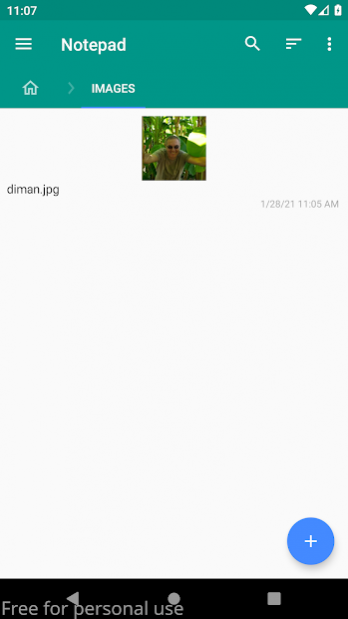


This is a stripped-down version of Notepad which does not require Internet access and is not synchronized with the google disk. Link to full version: http://play.google.com/store/apps/details?id=ru.diman169.notepad
Features:
- notes are stored in text files;
- markdown markup in notes is supported;
- you can create folders and sub-folders;
- you can specify the path for storing notes;
- you can encrypt individual notes using the AES-256 algorithm (paid function);
- you can insert image files from the gallery via "Share";
- you can insert any other types of files in the folder with notes;
- you can enable operation without titles;
- custom colors of folders, notes and files.
About Paranoid Notepad
The company that develops Paranoid Notepad is Dmitry Nazarov. The latest version released by its developer is 2.23.
To install Paranoid Notepad on your Android device, just click the green Continue To App button above to start the installation process. The app is listed on our website since 2021-03-29 and was downloaded 0 times. We have already checked if the download link is safe, however for your own protection we recommend that you scan the downloaded app with your antivirus. Your antivirus may detect the Paranoid Notepad as malware as malware if the download link to ru.diman169.notepad.paranoid is broken.
How to install Paranoid Notepad on your Android device:
- Click on the Continue To App button on our website. This will redirect you to Google Play.
- Once the Paranoid Notepad is shown in the Google Play listing of your Android device, you can start its download and installation. Tap on the Install button located below the search bar and to the right of the app icon.
- A pop-up window with the permissions required by Paranoid Notepad will be shown. Click on Accept to continue the process.
- Paranoid Notepad will be downloaded onto your device, displaying a progress. Once the download completes, the installation will start and you'll get a notification after the installation is finished.
Program Details
System requirements
Download information
Pricing
Version History
version 2.23
posted on 2021-03-29
- added custom folder sorting other than global sort
- new file properties window with actions:
- rename the file,
- set/unset the color of the file(s),
- hide/show file(s),
- encrypt/decrypt file(s)
- in the navigation pane, a new menu with the last opened files
- new option "Use double tap on note to switch to edit mode"
- new option "Use a numeric password"
- search in Notepad settings
version 2.22
posted on 2021-02-24
- added custom icon for markdown files
- added a button to expand/collapse the open folder tab bar
- the note editing toolbar has been moved up to the action bar
- added a button to expand/collapse the note editing toolbar
- images embedded in notes when clicked open in the image viewer
- when inserting images into the text of the note, files with spaces were not supported (fixed)
version 2.21
posted on 2021-01-29
- new page navigation between folders in the list of notes;
- added the ability to insert quotes, code, hyperlinks and images into markdown notes;
- added the ability to highlight the text and background of the selected fragment in markdown notes;
- search in note editor improved;
- the title editing field has become multi-line;
- increased the maximum length of the text in the title.
version 2.20
posted on 2020-11-14
- possibility of markdown markup in notes added
- the full path to a note, file or folder is now displayed in its properties
- the ability to create a shortcut to a note on the desktop added
- the ability to search when viewing or editing notes added
- option "Keep screen on" added
version 2.20
posted on 2020-11-05
- possibility of markdown markup in notes added
- the full path to a note, file or folder is now displayed in its properties
- the ability to create a shortcut to a note on the desktop added
- the ability to search when viewing or editing notes added
Disclaimer
External Download
We do not host Paranoid Notepad on our servers. We did not scan it for viruses, adware, spyware or other type of malware. This app is hosted by Galad and passed their terms and conditions to be listed there. We recommend caution when installing it.
The APK Download link for Paranoid Notepad is provided to you by apps112.com without any warranties, representations or guarantees of any kind, so access it at your own risk.
If you have questions regarding this particular app contact the publisher directly. For questions about the functionalities of apps112.com contact us.
